Interior layouts
Virtual staging with AI
Furnishing a photo of an empty home with AI while keeping walls, windows and perspective: what it is for, step by step, virtual vs physical and how to disclose it.
What virtual staging is
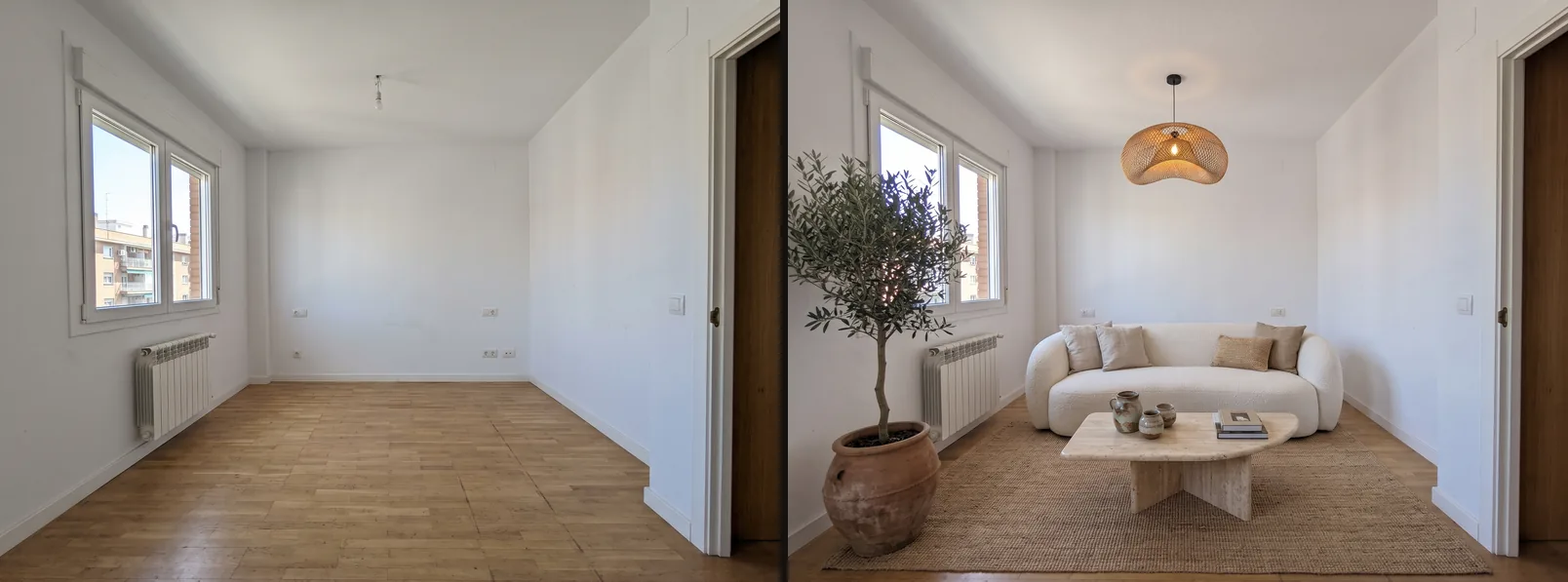
Virtual staging means digitally furnishing and decorating a photo of an empty room so that whoever sees the listing understands the space and can picture living in it. It is the image version of traditional home staging, without renting or moving furniture.
With AI the process is direct: upload the photo of the empty room, describe the style, and the result keeps the walls, floor, windows and perspective, with the furniture on top.
What it is for
Empty homes that do not read in photos. An empty room looks smaller and does not say what it is for. With furniture, scale and use become clear.
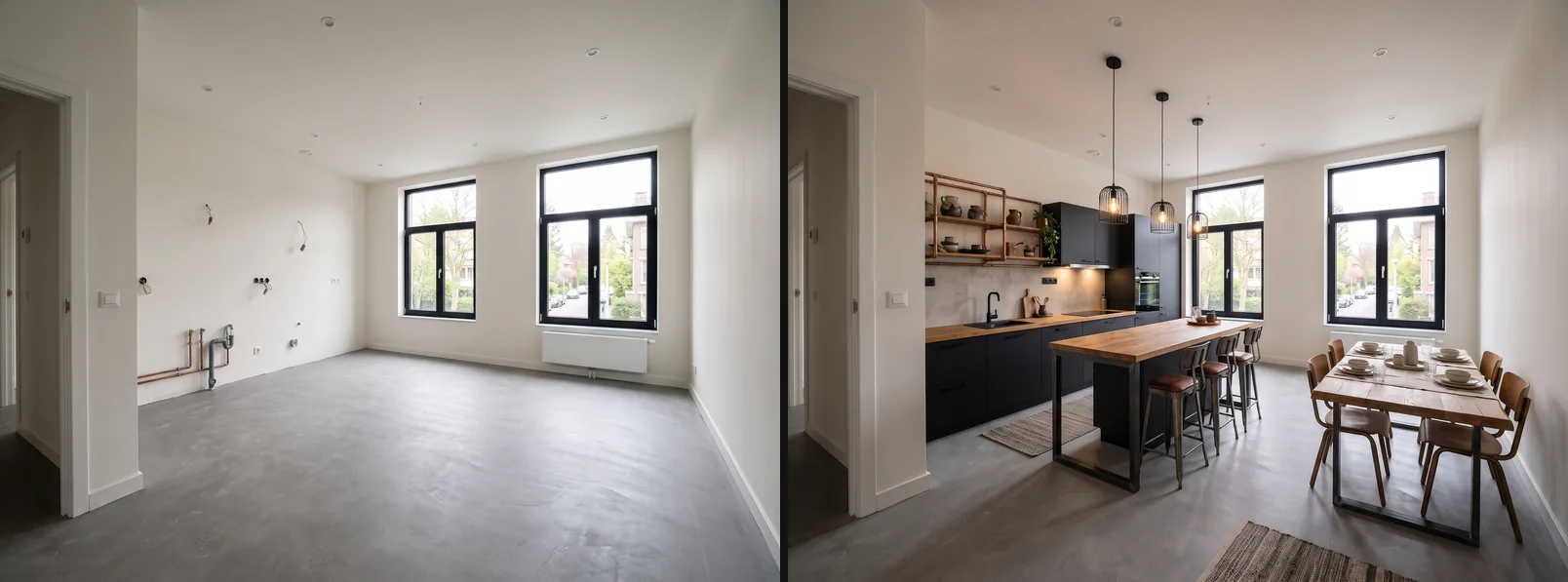
New builds without a show home. Showing what a home will look like before furnishing a show flat.
Several proposals for the same space. The same living room in Scandinavian, Mediterranean or industrial style, for different buyers.
Refurbishments. Seeing the finished room before buying anything, or presenting it to a client.
How to do it, step by step
Take a good photo of the empty room. In daylight, from a corner, at eye level and with vertical lines straight. The better the photo, the better the result: the AI keeps what it sees.
Upload it to Photo to render. In Photo to render the photo is the base: geometry and framing are kept.
Describe the furniture and the style. For example: «Furnish this living room in Scandinavian style: light grey linen sofa, wool rug, oak table, large plants. Keep walls, floor, window and light».
Generate two or three options. Pick the one that best suits the audience of the listing. If only one detail is off, fix it with edit instead of generating again.
Optional: make the video. With the empty photo and the furnished one, Video Pro builds a short clip where each piece walks in: it works very well on social media.
Virtual or physical staging
| Virtual | Physical | |
|---|---|---|
| Time | Minutes per room | Days: delivery, set-up and removal |
| Cost | Credits per image | Furniture hire and labour |
| Styles | As many as you want to try | One |
| In-person viewing | The home is still empty | The home looks furnished |
They are not exclusive: many agencies use virtual staging for the listing and keep physical staging for high-end homes where the viewing is decisive.
Use it honestly
A virtually staged image shows a possibility, not the state of the home. Two simple rules avoid trouble with buyers and tenants:
Say so in the listing. A note such as «virtually staged image» is enough. It is the honest thing to do and some portals require it.
Do not change the architecture. Furniture and decoration, yes; removing a column, enlarging a window or changing the view, no. Publish the real photo too.
There are more room examples in interior rendering.